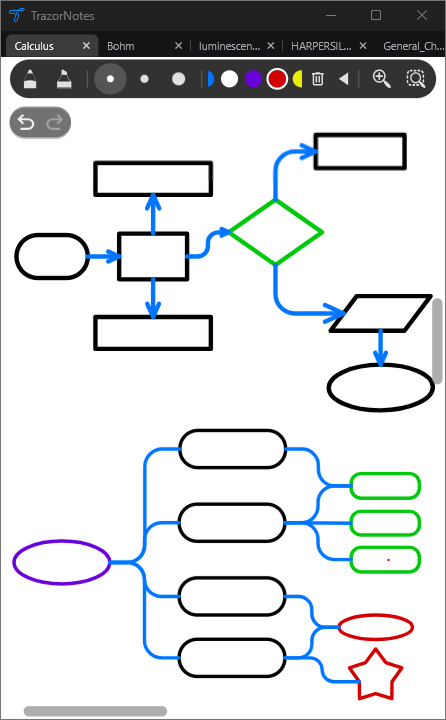
Build visual explanations.
Draw with editable shapes and connected lines. Move a shape and its connectors stay attached.
THE FREEDOM TO THINK VISUALLY
Handwrite, type, draw, annotate PDFs, build diagrams and organize your ideas in one flexible workspace.
Built for serious study. Flexible enough for everything else.
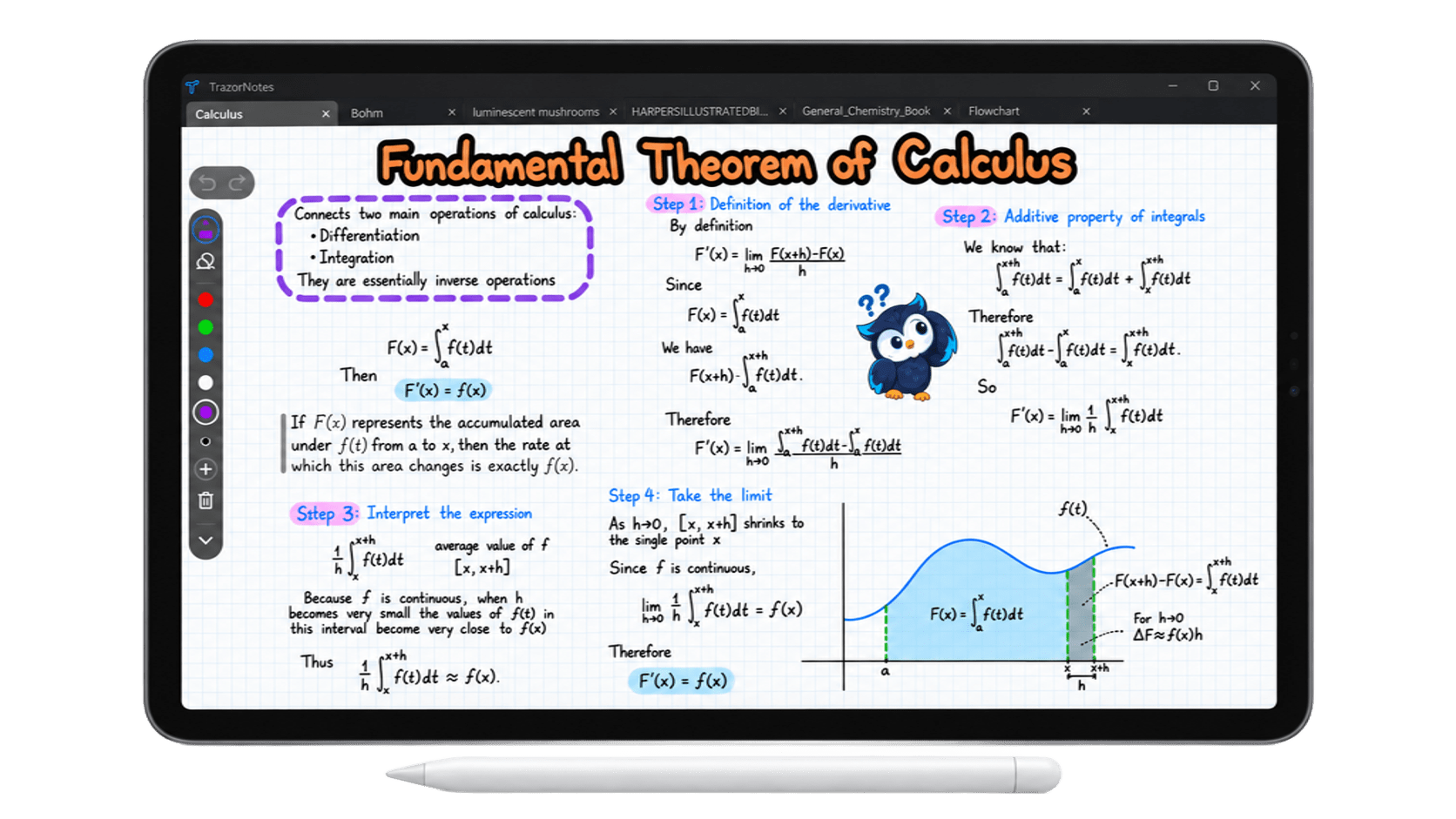
ONE PAGE. EVERY KIND OF IDEA.
Handwriting, text, images and shapes don’t live in separate worlds. Mix them, overlap them and arrange them in whatever order your ideas require.
No rigid blocks. No fixed layout.ZOOM TOOL / 01
Place a movable zoom region over the page and write in a magnified view without losing your position in the document.
CONNECTORS / 02
Connectors attach automatically to shapes. Move a shape and its lines adjust with it, making flowcharts and other diagrams easy to rearrange.
RULER & COMPASS / 03
Move the ruler above your page or anchor it in place. Switch to compass mode to draw arcs and circles.
MAKE THE PAGE YOURS
Draw with editable shapes and connected lines. Move a shape and its connectors stay attached.
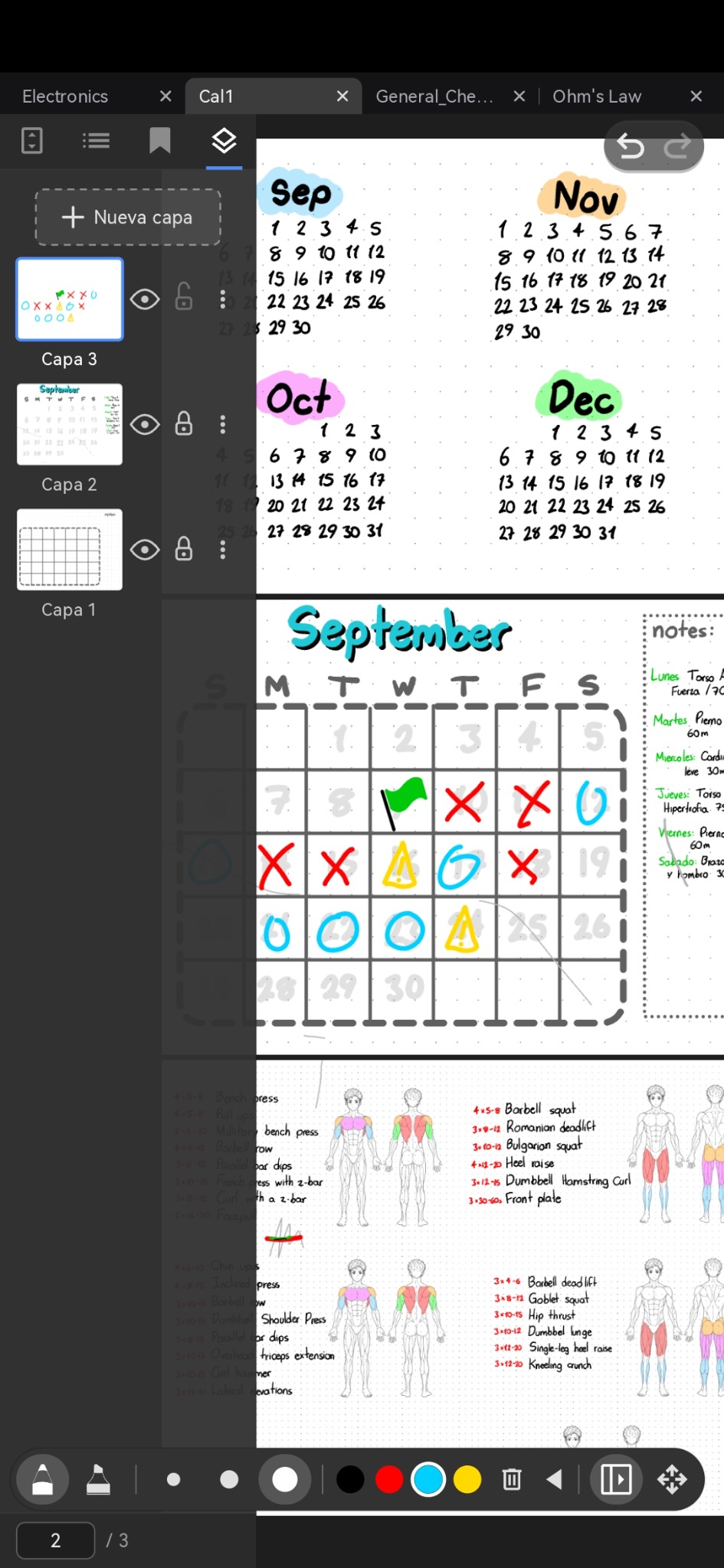
Arrange layers and toggle visibility as you build planners, habit systems and workout logs.
WORDS + EQUATIONS
Add structured text when handwriting isn’t enough.
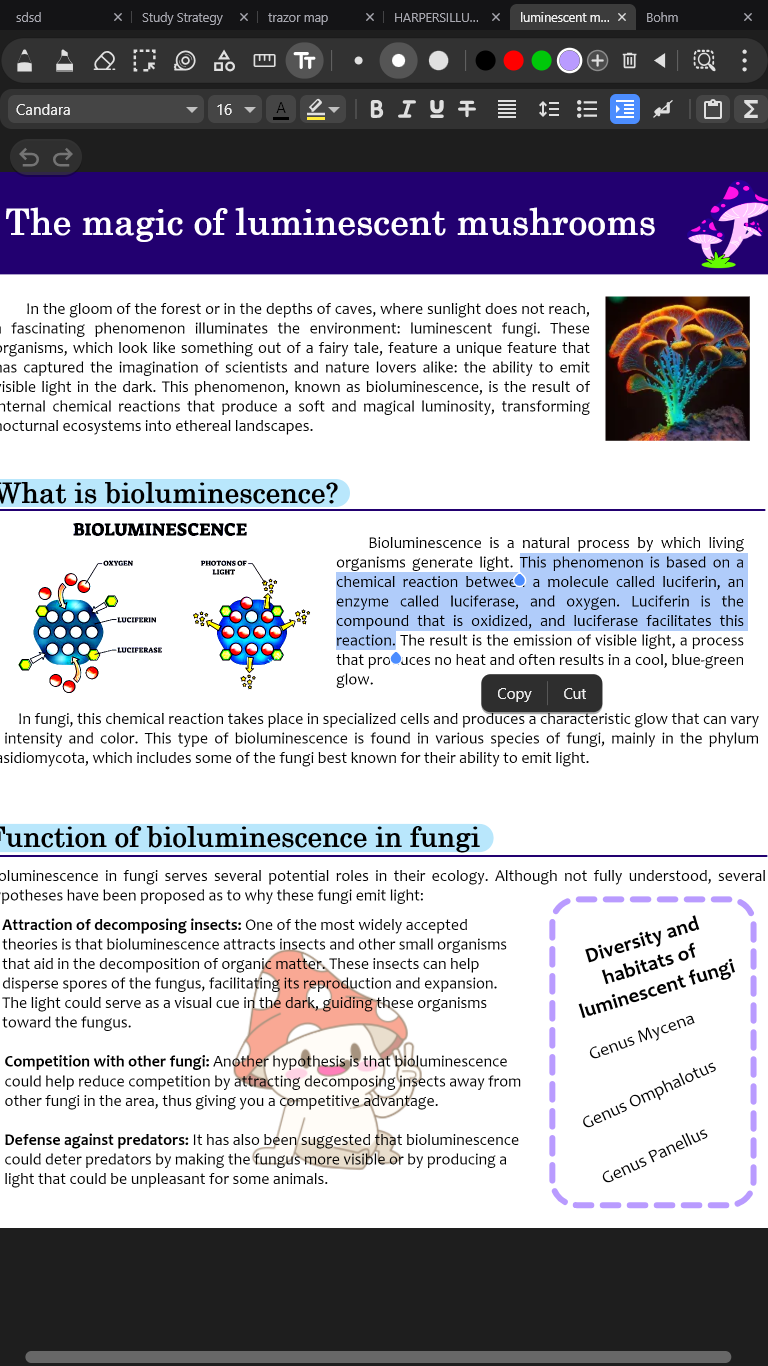
Choose fonts and colors, add headings and lists, and place text freely on the page.
Mix LaTeX equations directly with formatted text, inline or as standalone expressions. Write them with $$ syntax.
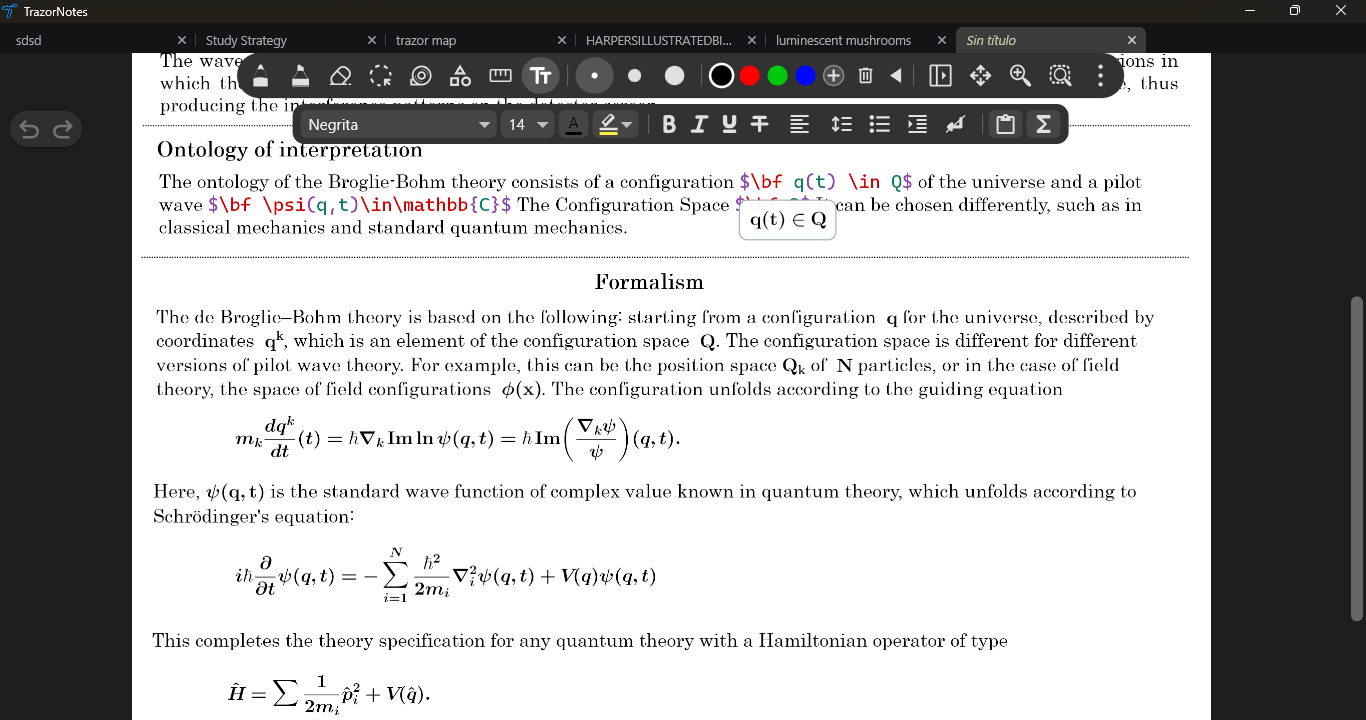
A COMPLETE DOCUMENT WORKSPACE
Read and work with the document itself: select its text, highlight passages, find what you need and move through long PDFs with ease. Add handwritten notes and drawings wherever they help.
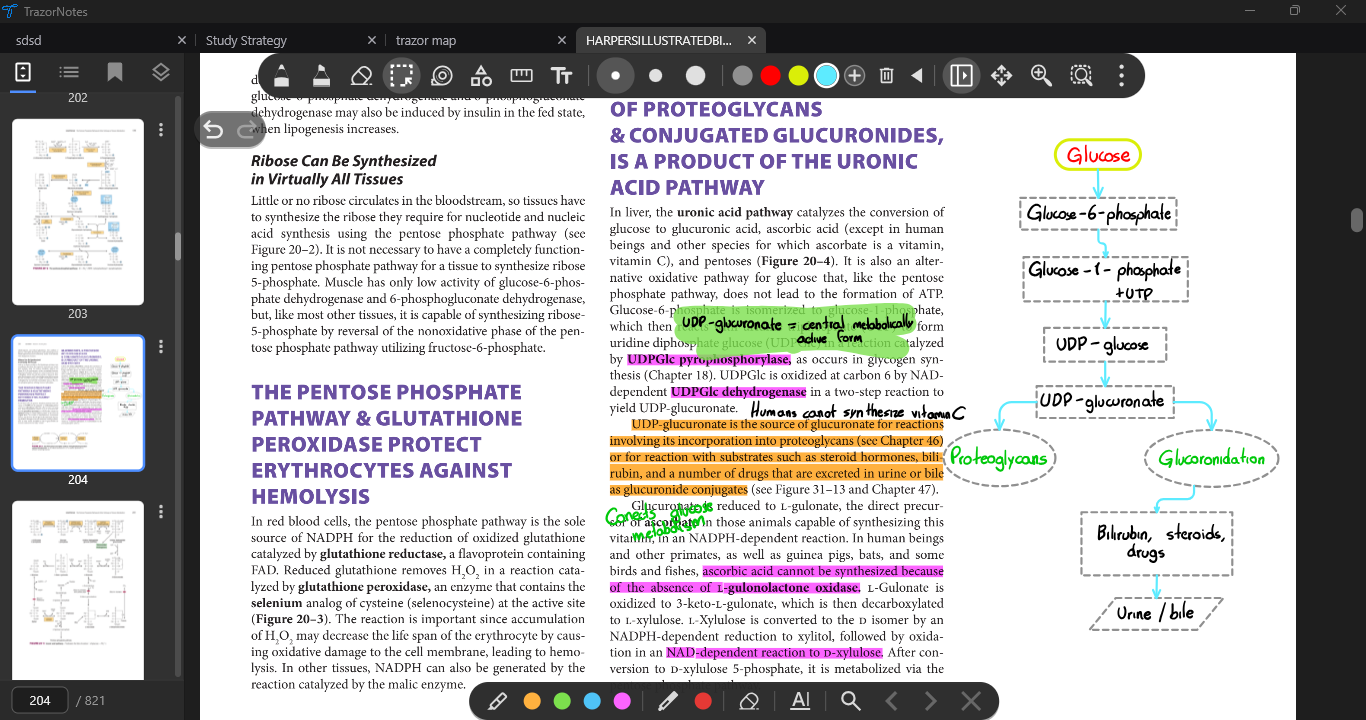
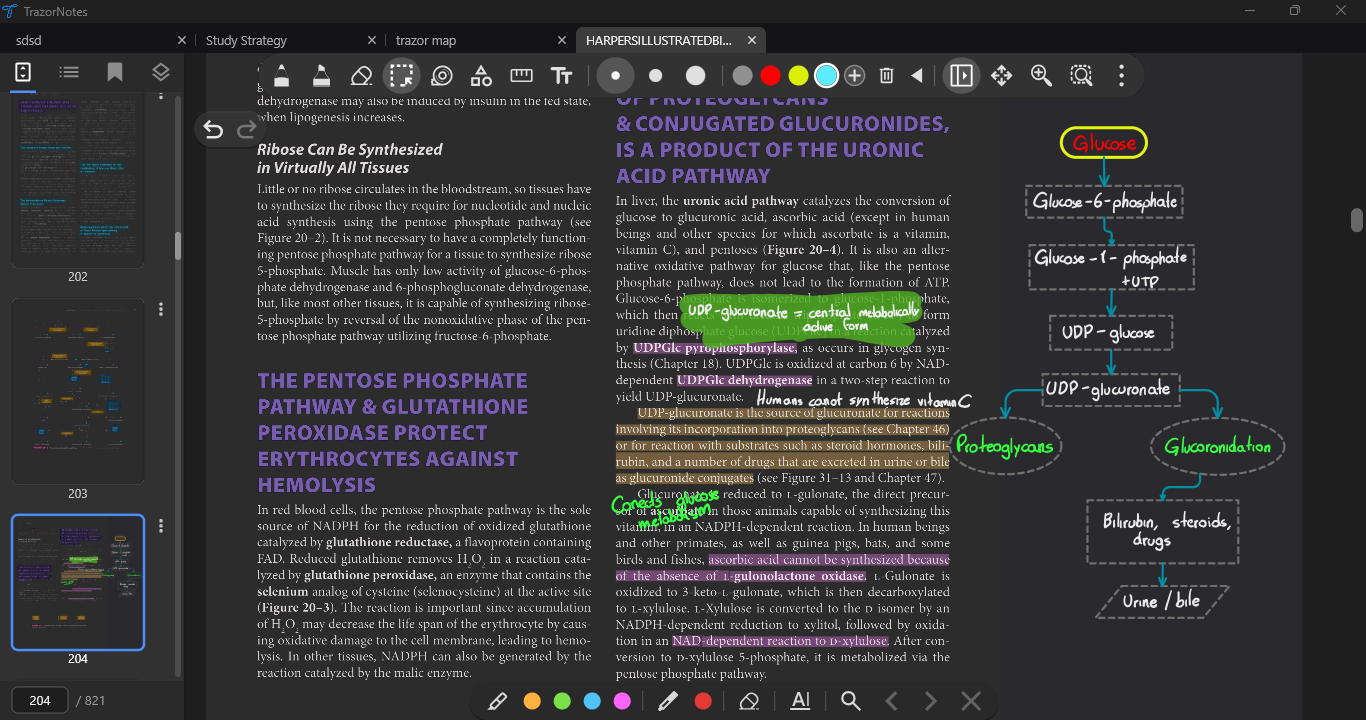
Select real PDF text and highlight the words directly, rather than painting over the page.
Find words in the document and use its navigable links to move between relevant pages.
Browse page thumbnails, and jump through a navigable table of contents when the PDF provides one.
Read closely. Mark what matters. Keep moving.
Write or draw on the document, then export annotated PDFs without flattening every page into an image.
Dark mode adapts both the app interface and the document viewing experience.
FIND YOUR WAY BACK
Find your work through shelves, folders, notebooks and pages. Search and switch quickly with tabs, thumbnails and bookmarks.
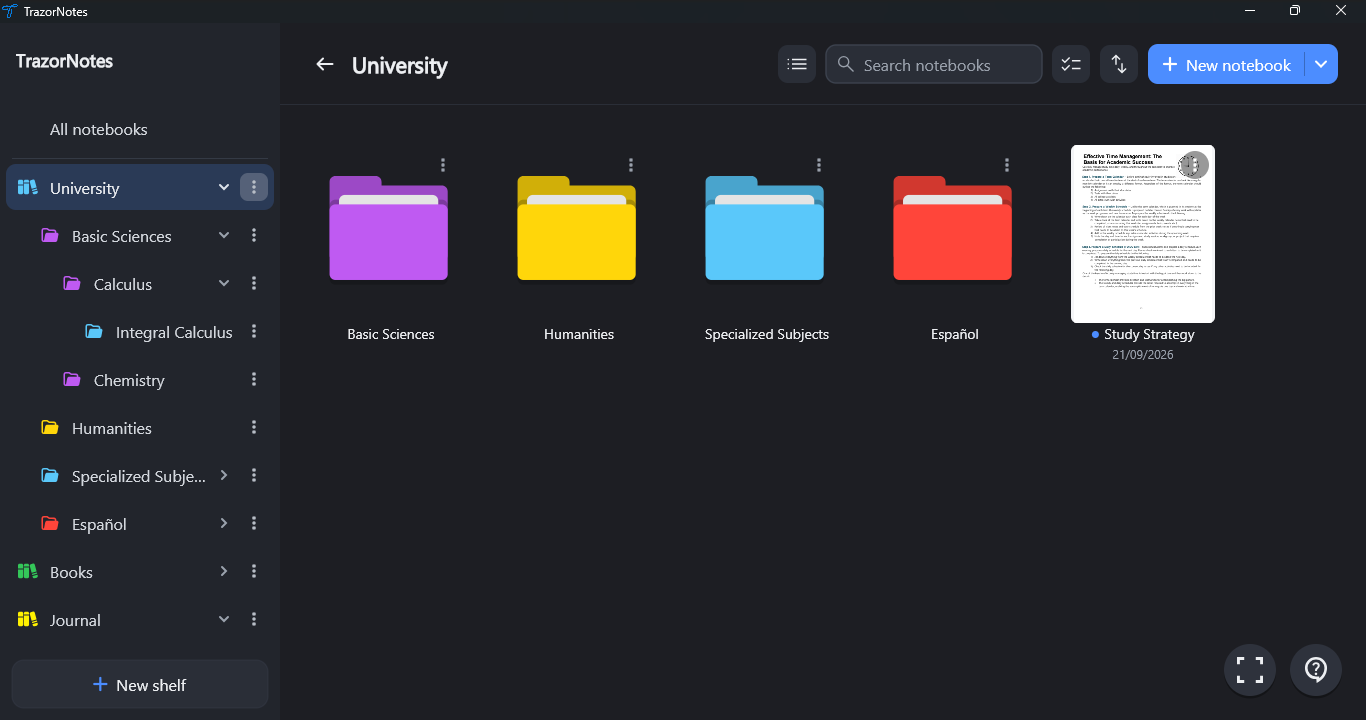
THE LITTLE THINGS ADD UP
Save creations to reuse later, or turn a page into a template.
Hide information and reveal it while studying.
Crop with rectangular, polygonal or freeform shapes. Adjust opacity, brightness, inversion, shadows and frames.
Make selectable objects shortcuts to places in your notes or documents.
Create layers on a page to organize content and control what’s visible.
Turn hand-drawn shapes into clean, editable shapes.
Name your pages to build an index and jump straight to the section you need.
Keep several files open and switch between them quickly.
YOUR IDEAS, WHERE YOU WORK
TrazorNotes is available on Windows and Android, with room to think on both screens.
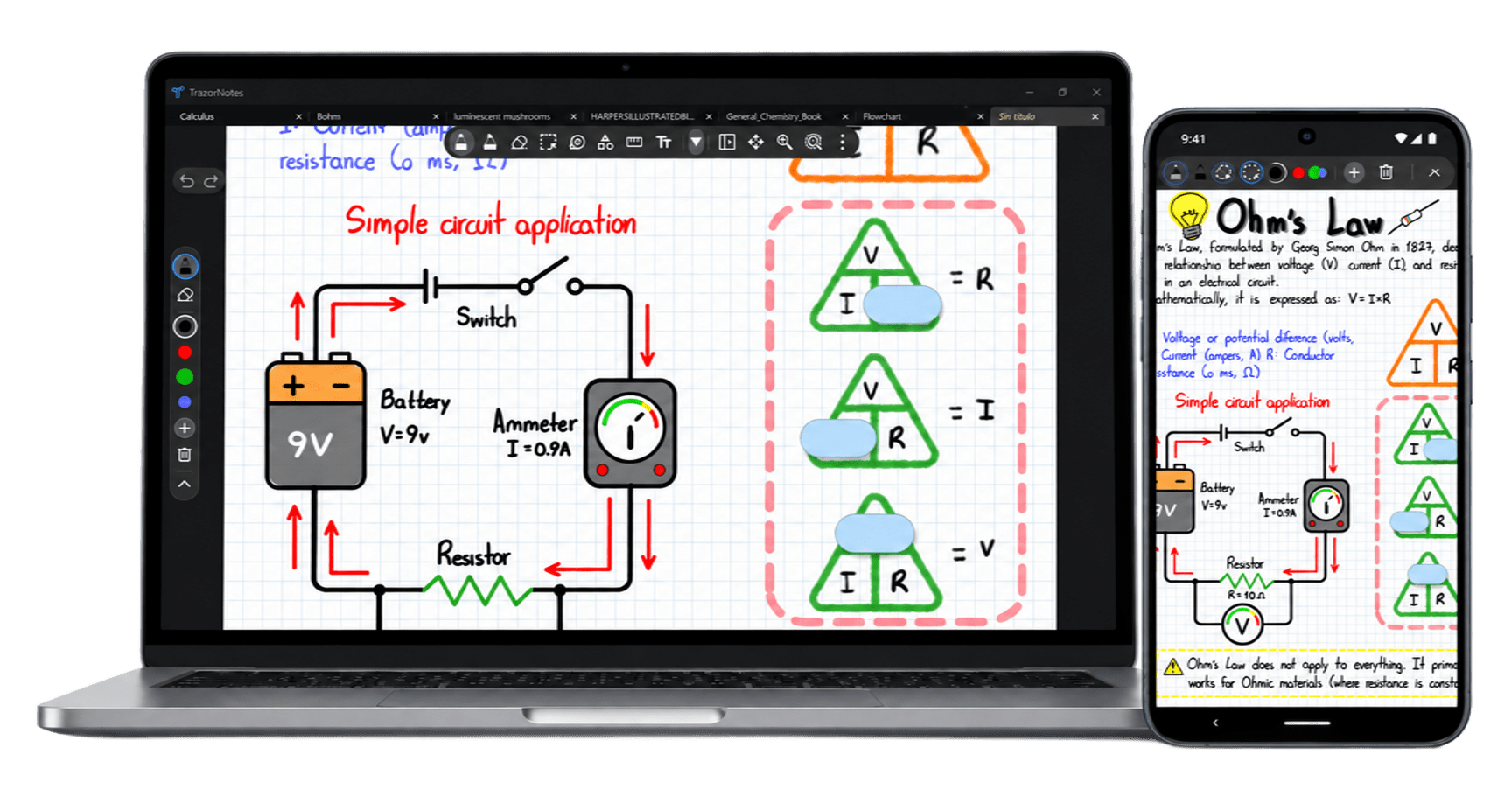

Study, plan, draw, organize and create without changing tools.
Google Play link will be added later.